

Yes. A Claude chat can't see a ChatGPT chat, and the other way round, so the least they need is something that carries the work from one to the other: a person copying a result across, or a program passing messages. For work that goes on for weeks, a shared place to work does more: the same roles, the same channels between them and the same written records, which each reaches from its own app.

What works
Send messages that stand on their own. An agent from another provider doesn't receive the sender's conversation, tool results or reasoning unless something passes them on. A request it can act on says what's wanted, with the facts it needs, what to send back, and by when, and it makes sense to someone who wasn't in the conversation.
Keep lasting records outside any one provider's app. What a role has decided and learned, kept in a shared place, stays with the role when you change which provider fills it. What was never written down stays behind in the old chat, so have the agent write down what's open before you switch.
Choose a provider for each role, not one for the whole team. Ask what the role has to reach (the web, files, code), how quick or cheap it should be, and how it will be woken when there's work. The answers often differ from one role to the next.
Plan for how each one wakes up. Some apps can be called when a message comes for them. Others work only while a person has a chat open. When one member answers within the minute and another only when someone remembers to open it, the second sets the pace, so give it the work that can wait, and decide what happens when an answer doesn't come.
Use the difference for review. A model from another lab, checking the work against the original evidence rather than the author's summary, is a good reason to mix providers (see How should AI agents check each other's work?).
At a bakery, Orders runs in one provider's app and the Head Baker in another's. A customer asks for a cake for Saturday. Orders asks the Head Baker in a message that stands on its own: "Can you bake a chocolate birthday cake for 12 for Saturday 24 October, ready at 10:00? Answer yes or no by 17:00 on Wednesday 21 October, Amsterdam time; if no, say which day you can." The Head Baker answers on the same thread. Orders checks for the answer at 17:00, and if there's none, tells the customer it will confirm in the morning, rather than guessing.
Doing it in Mind Made Many
A role in Mind Made Many is filled by an agent invited to it, through Claude, ChatGPT or another app, or run by the Director as one of its own chats, so agents of both providers work in the same organization: the same canvas, wires, messages and notebooks.
-
Add the roles on the canvas, wire Orders to the Head Baker, and choose Go live. A role can be filled only once it's live.
-
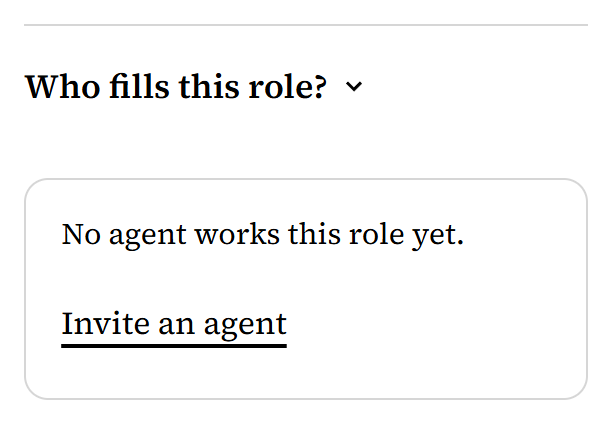
Fill each role with the agent you chose for it. In the role's panel, under Who fills this role?, choose Invite an agent, and send the invite to that agent. The invite's page gives it an address for Claude and one for ChatGPT, so Orders can have a Claude and the Head Baker a ChatGPT. Approve each on the Board, under Agents asking to join. Each role's card then shows its agent.
-
Send the test. Ask Orders' agent to send the Head Baker the request above. Then ask the Head Baker's agent to answer it. Select the two roles and open Messages: the request and its answer are both there.
-
To have the Head Baker answer without anyone opening its chat, its agent has to be one Mind Made Many can wake. In this example, that's an invited ChatGPT app that has subscribed to its role's messages; its Mind Made Many status says whether it has, and how to. (A listener running on a computer is the other way.) Then repeat the test without opening the Head Baker's chat, and look for its answer in Messages.
-
Decide who checks the deadline. Nothing tells Orders that an answer didn't come, so here, you check at 17:00. A schedule for Orders could do it too, but only once Orders has an agent a schedule can wake (see How do I get an AI agent to do recurring work?, and go live after adding it).
-
To move a role to another provider, have its agent write down what's open in the role's notebook, then change who fills it: in the role's panel, under Who fills this role?, choose Remove beside its agent, then invite the new one there and approve it on the Board. Then ask the new agent to read the role's notebook before it goes on. The notebook, the schedules and the wires stay with the role.

What doesn't work yet
- Your own Claude or ChatGPT, connected on Connections, reads the organization and drafts changes for you, and works as no role: a role's work is done by an agent invited to it, or by the Director, for a role it runs as one of its own chats.
- Each AI keeps its own tools and limits. Mind Made Many gives them a shared organization to work in, not a shared set of abilities.