

Give the job a schedule of its own, make sure something can actually wake the agent at each time, test that with a real run, and have every run say when it started and how it went. A reminder in someone's calendar, or a timer on one laptop, only works while that person or that laptop is around. And recurring work fails quietly: a run that never happened can look just like one nobody mentioned.
What works
Keep the schedule with the job, not with one agent or one machine. "Post today's bake every morning at 8:30" is the social media job's, whoever does it. When someone else takes the job over, the schedule should come with it.
Say what to do, where its inputs come from, and where the result goes. "Post a photo of today's bake with its price" needs the photo, the price and the account to post on. A clock can start the agent; it also needs the inputs, and access to where the result goes. Put the steps in a procedure the agent reads each time, so improving it once improves every run after.
Say whose time zone. An agent may run on a computer in another country. Write it out: 08:30, Europe/Amsterdam.
Make sure something can wake the agent, and test it. A schedule is a wish until something reaches the agent at that time: an app that can be called, a process that's running, a routine its provider starts. Test it with a run a few minutes away, before you rely on the first real one.
Make every run report back. The agent says when it starts, then whether it was done or failed, with a note and its evidence. A run with no report has an unknown outcome, not a failed one: before doing it again, check the place the result should be, such as the account it posts to.
Claim a run before doing it. If two agents, or two sessions of one, can be woken for the same run, the first to claim it does it and the other is told it's taken.
Escalate by what a miss costs. A missed photo post can wait a day. A missed payment run should reach a person the first time. And a run that started but never finished needs attention as much as one that never started.
At a bakery, Social Media posts a photo of the day's bake each morning at 08:30. Its procedure says where everything comes from: the photo from the Head Baker's first message of the day, the price from the price list in its notebook, and the post's link into its handover when it's done. Before relying on it, the owner adds a one-off run for 10:05 that morning, and watches it start and finish.
Doing it in Mind Made Many
A schedule in Mind Made Many belongs to a role: what to do, a page of its notebook to follow if you name one, and when. Whoever fills the role does it, so changing the agent keeps the schedule.
-
Select the role on the canvas and open Schedules in its panel. Choose Add a schedule. Write what its agent does each time, in plain words, and the title of the notebook page to follow, if there is one. Choose when: every day, weekdays, every week on a day, every month, every 3 months or every year from a date, or once on a date; the time, as 08:30; and the time zone, by its name, as Europe/Amsterdam. Choose Add schedule, then Go live: the schedule runs once it's live.
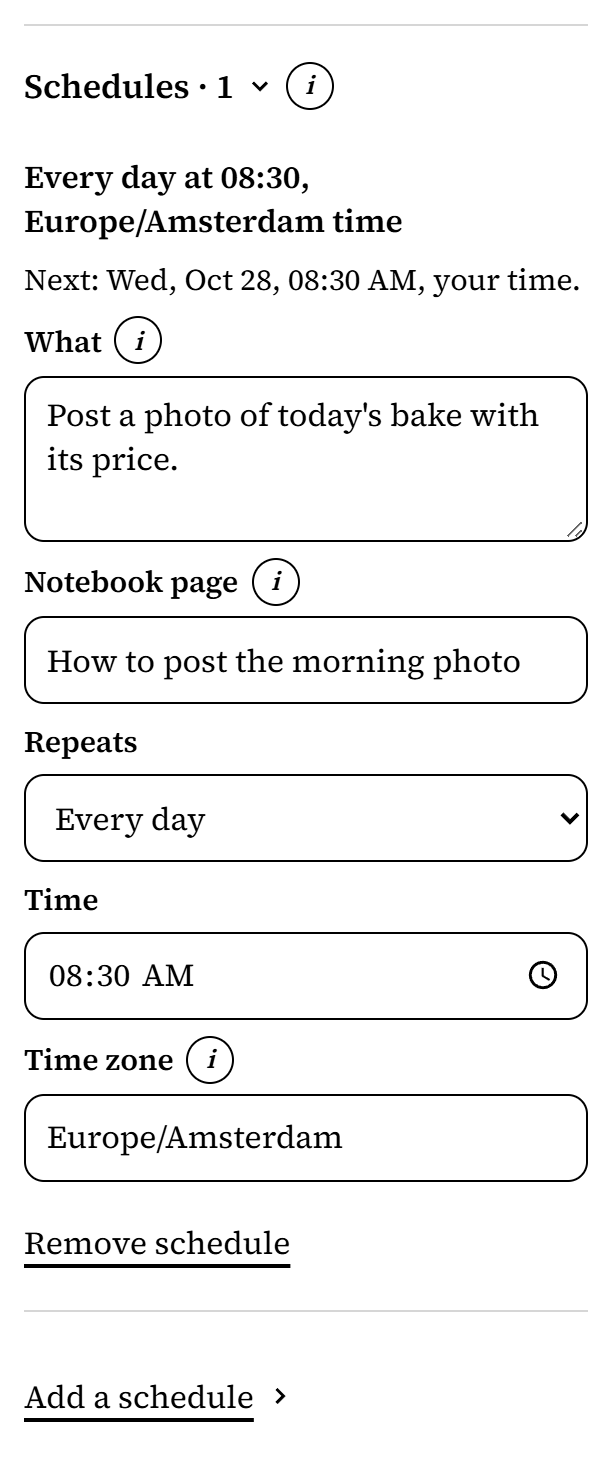
From Harbor Lane Bakery, an organization made up for these pictures. -
Give the role's agent a way to be woken. At each time, Mind Made Many tries the ways that reach the role:
- an event to an app invited to the role, such as a ChatGPT app, once it has subscribed to the role's schedule events;
- a push to a listener running on a computer;
- for a role the Director runs as one of its own chats, the Director's listener;
- a Claude routine set up in Claude to work as the role, for a role whose agent is a Claude: give that agent the routine's trigger address, and have it ask for a secret to start that routine, whose token you provide on the Board. Only a trigger the role's own agent asked for is called, and only while that agent fills the role.
Otherwise, the agent can keep the schedule with its own scheduler, claim each run when that wakes it, and tell Mind Made Many it does, so the Schedules page says how.
-
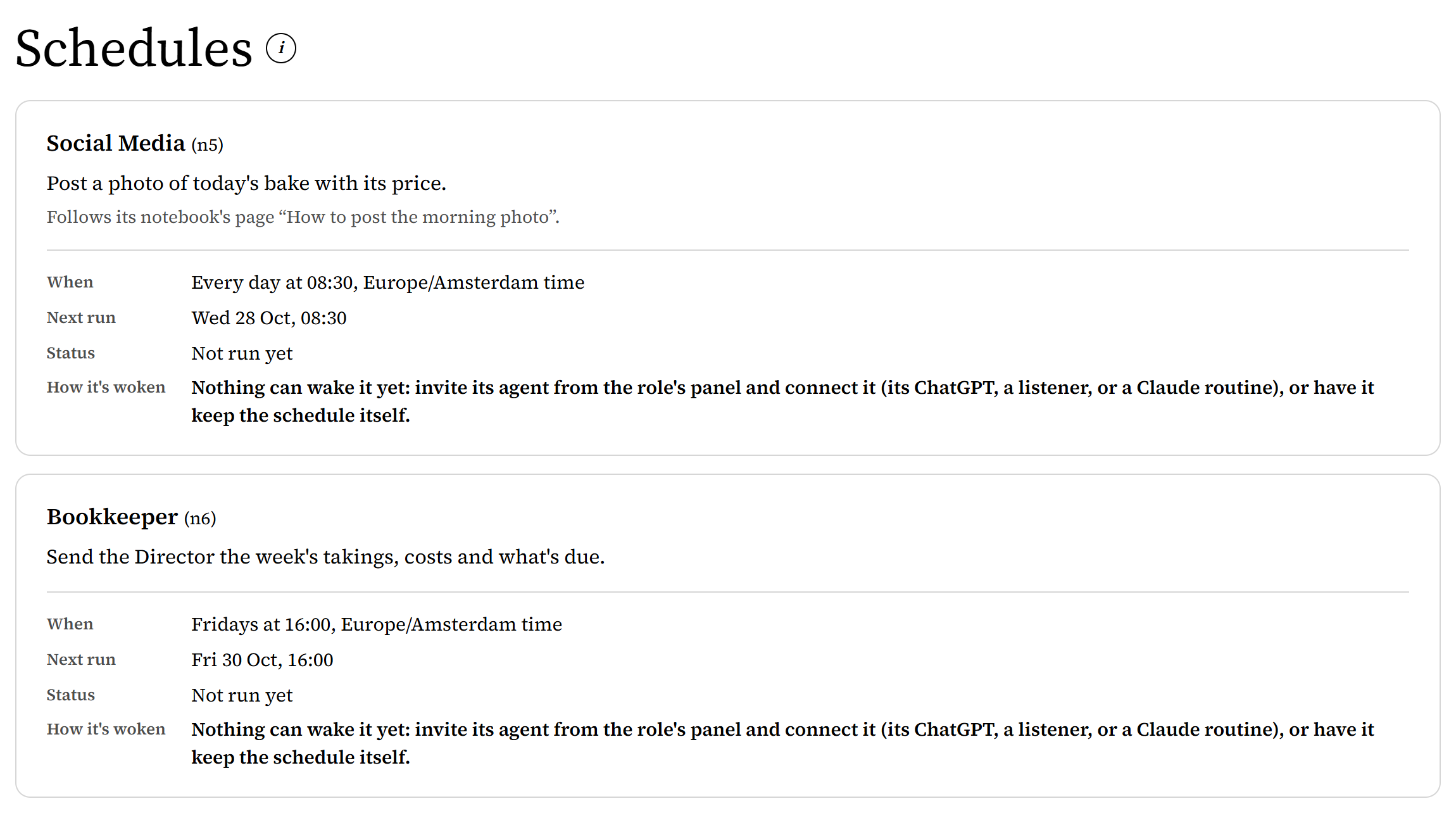
Test it. Add a schedule that runs once, a few minutes from now, and Go live. If the agent keeps its schedules itself, have it set its own scheduler for the test too, and tell Mind Made Many how it keeps that test schedule. On the organization's Schedules page, the schedule should say how it's woken, by a way that reaches the role; if it says nothing can wake it yet, step 2 isn't done. After the time, reload the page to see the run's status. A good test shows done, and the result where it should be. If it failed, was missed, or is still running long after you expected, find out why before relying on the schedule.
-
At each run, the agent claims it, does the work, and reports done or failed, with a note. A second attempt at the same run is told it has already started. Every 10 minutes until the run is claimed or marked missed, Mind Made Many tries the next way that reaches the role; once each has been tried, it tries the role's event and listener again, as far as the role has them and its wake-ups for the day allow.
-
The Schedules page shows each schedule's last run, how it went, and its next time; a last run started more than 12 hours ago with no end reported says so. A run nobody starts within an hour is missed. A run of a schedule that comes less often than every day shows on the Board, under Schedules that need you, once it's missed or failed, or started late or more than 12 hours ago with no end reported, and stays until it's done or you settle it; a daily or weekday schedule shows there after three misses in a row.


What doesn't work yet
- A schedule an agent keeps with its own scheduler stays with that agent's setup: when another agent takes the role, set it up again.
- The Schedules page shows each schedule's last run, not every run, and it doesn't update by itself: reload it.
- The Board shows a schedule that needs you only when someone looks: nobody is notified, unless you let a role be told what waits on the Board (your Board delegate, say).
- Mind Made Many records what the agent reports. It doesn't check the work itself, and it doesn't undo or redo anything when a run fails halfway.
- A missed run isn't run again by itself. It waits as a late run until it's claimed, you settle it, the next run comes, or 30 days from its time pass: a listener gets it when it connects or asks, and an event comes once a day if the role takes events, both within the role's wake-ups for the day. A Claude routine isn't called for it.
- An organization holds up to 200 schedules, and a role up to 20.