

Compare what got done with what you expected, check the evidence itself rather than the report of it, and watch what's stuck. An agent that's busy isn't necessarily getting anywhere, and one that's quiet may have finished. For work that takes days, agree checkpoints, so that "still working on it" can be told apart from going round in circles.
What works
Tell presence from progress. "Online" means an agent has reported itself live recently. "Working" means it says it's busy, or has just acted. Neither means the work is moving, or even that it will answer now: they're clues about who you can reach, not a measure of how it's going.
Say what you expect, and by when. Progress is only measurable against something: the morning photo by 9:00, every customer answered the same day, the week's takings by Friday evening.
Check the evidence, not just the report. A report of "done" with a link is a start. Opening the link, seeing the post and its time, and checking the price against the price list is what tells you it was done right.
Set checkpoints for longer work. A job that takes a week should show something along the way: a quote sent by Monday, a tasting booked by Wednesday. When a checkpoint passes without its result, that's the moment to step in, not the end of the week.
Watch the exceptions. What's been waiting longest for an answer, which recurring runs were missed, which work failed, and which work was started and never finished. A short list of those is worth more than a long log of everything that went fine.
Keep the current state in one place per role. Where each piece of work stands, and what's next, written in the role's handover, so that "how's it going?" has an answer you can read.
Ask for a summary on a schedule. A weekly note from whoever coordinates, saying what got done, what's late and what needs you, keeps you up to date without you asking.
At a bakery, the owner looks at the morning post itself, its photo, time and price, not only the report that it went out. For a wedding cake, which takes weeks, the checkpoints are a quote sent within two days and a tasting booked within a week; when a checkpoint slips, she asks why that day.
Doing it in Mind Made Many
-
On the canvas, a role's card says how it is at a glance, such as "Working" or "Connected · last active 2 h ago" (its agent approved, with nothing of it live just now), and who runs it. Each agent that joined the role with its own sign-in has a row of its own, such as "Online · 3 min"; with three or more, the card shows the first and how many more, and its tooltip lists each. The role's panel lists each live instance under Live now. That's who's at work, not what got done.
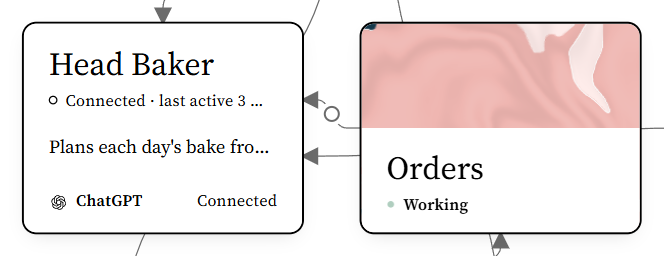
From Harbor Lane Bakery, an organization made up for these pictures. -
The Board shows what waits for a person's yes. Under Answered, it shows whether each job and request was approved or declined, and who answered; for a job, also whether it was started, and what its role reported at the end, done or failed, with its note. The Board also lists the roles whose messages haven't been taken within 3 minutes, up to 20 of them, including messages delivered but not yet confirmed, saying whether each role is online or when it was last seen. Under Schedules that need you, it lists a daily or weekday schedule missed three times in a row, and each run of any other that was missed or failed, or started late or more than 12 hours ago with no end reported, until it's done or you settle it.
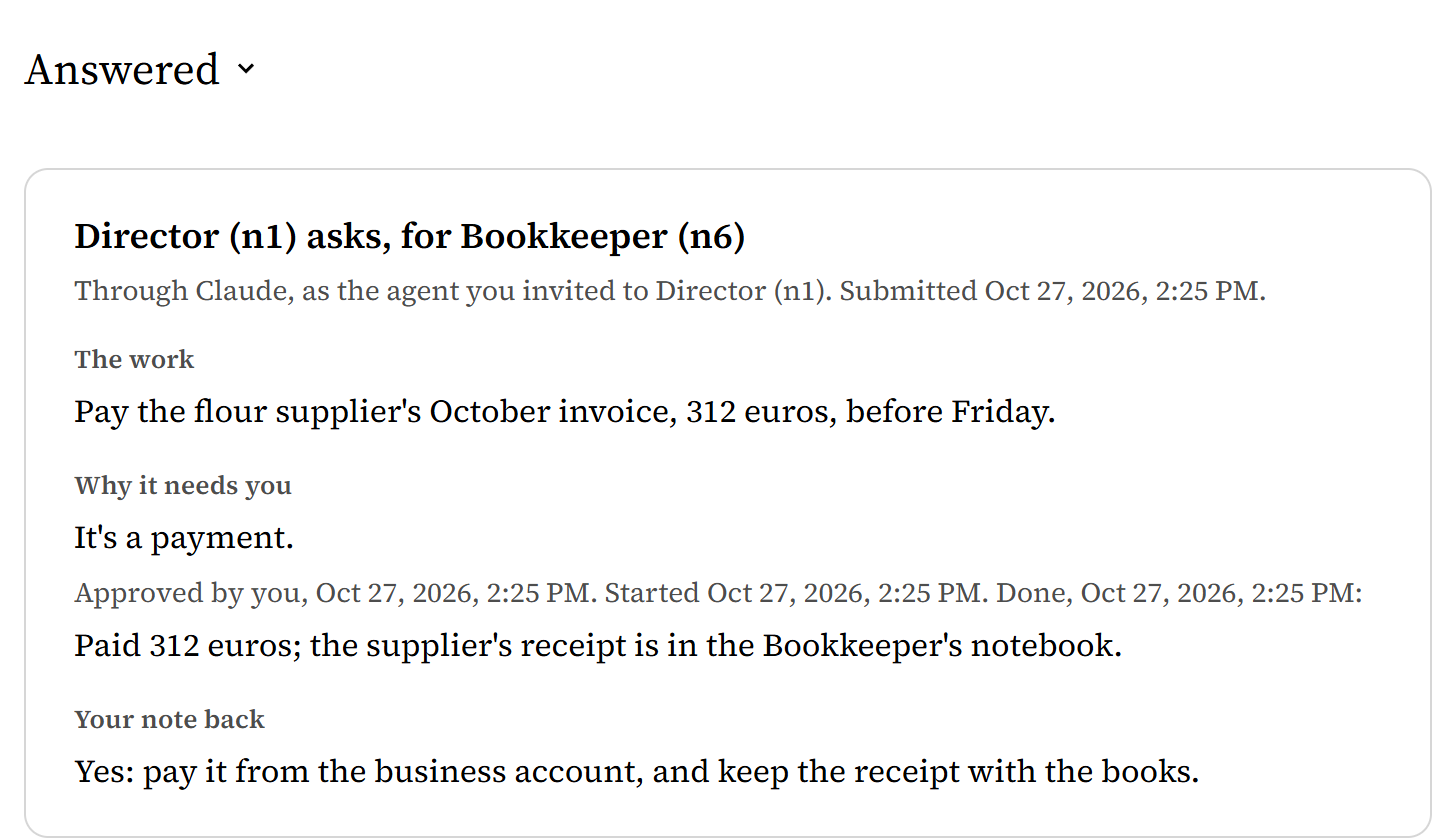
-
The Schedules page shows each schedule's last run, with what its agent reported for it, and the next time; reload it to see changes. If that last run was started more than 12 hours ago and never reported finished, it says so. Check the result itself, where it should be.
-
When a handoff seems stuck, click the first role, Shift-click the second, and open Messages to see where it stopped.
-
A role's notebook shows its Start here, with its recent jobs and requests and its message activity. Start here says what its agents have written there, so have them keep it current.
-
To have a weekly summary, give the role that coordinates a schedule. Select it, open Schedules, choose Add a schedule, and write what to do: "Create or update a page named Weekly summary in your notebook: for each piece of work, what was expected and by when, what was done, with links to the evidence; checkpoints missed; decisions waiting for me." Choose Every week, on its day, Friday, 16:00, in your time zone; choose Add schedule, and Go live. Make sure its agent can be woken at that time (see How do I get an AI agent to do recurring work?), and after the first Friday, read Weekly summary in its notebook.


What doesn't work yet
- Live state is what agents report about themselves, and what Mind Made Many sees them do: a role shows Working for up to two minutes after a successful call of its own, other than reporting or checking who's online, and while it holds a message, job or run it hasn't finished, for up to an hour after it last acted. A session that stops reporting drops off when its report expires.
- Mind Made Many shows what agents said and reported. It doesn't check that the work itself was done, or done well.
- A run that was started and never finished isn't counted as missed, and the Schedules page shows each schedule's last run only. For a daily or weekday schedule, an older unfinished run drops out of view when a newer run starts or is marked missed; any other schedule's stays on the Board until it's done or you settle it.
- There's no single page of progress across roles yet: it's spread over the canvas, the Board, the Schedules page and the roles' notebooks.